Welcome to the cruise operator Four Gates Group.
Our cruise experts have prepared a detailed guide for you: how to quickly complete online check-in for cruises on the website Costa Cruises.
*If you prefer to check-in online via the app, go to the check-in guide via the >>>Costa Cruises app.
For convenient information entry, we recommend preparing the following data and documents:
1. Cruise reservation number – ask your cruise manager (also sent to your email in a letter immediately after booking);
2. Biometric passport with which you will travel;
3. Registration details (full address with postcode);
4. Emergency Contact – contact of your trusted person who is not going on the cruise with you.
We will demonstrate the process of completing online registration using the example of slightly changed data of the most famous Ukrainians:
TARAS SHEVCHENKO
LESIA UKRAINKA
After preparing the documents, you can follow the >>>LINK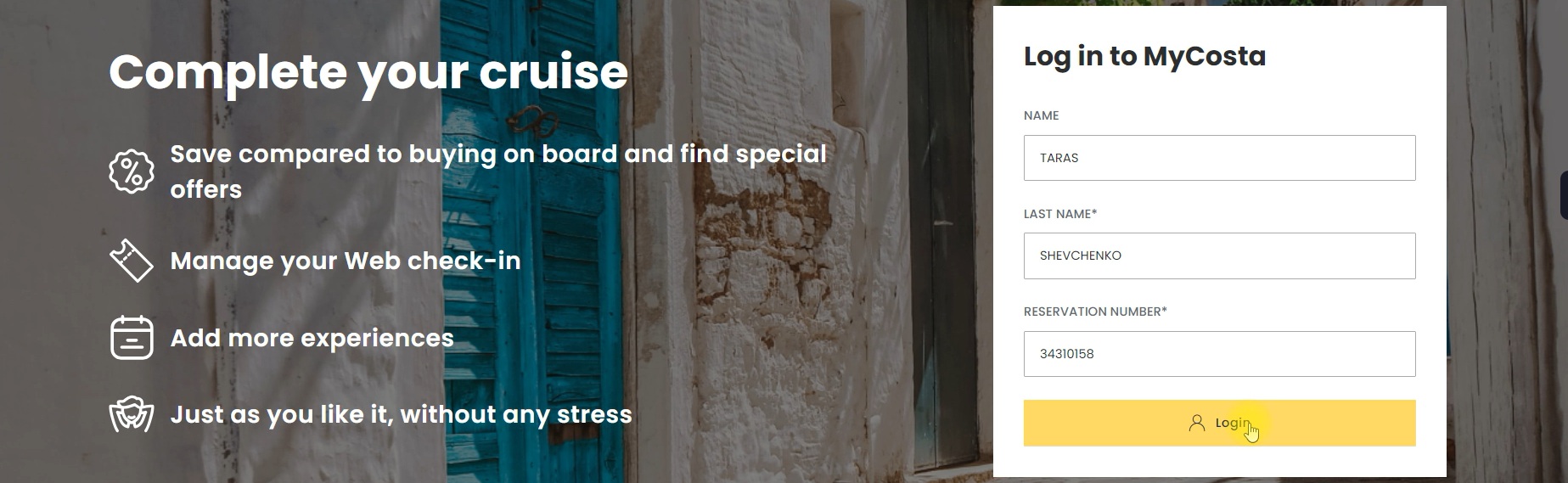
Enter the last name (LAST NAME), first name (NAME) and reservation number (RESERAVTION NUMBER) in Latin letters (as in your passport).
And press Login.
You have now entered your cruise's personal page, where you can: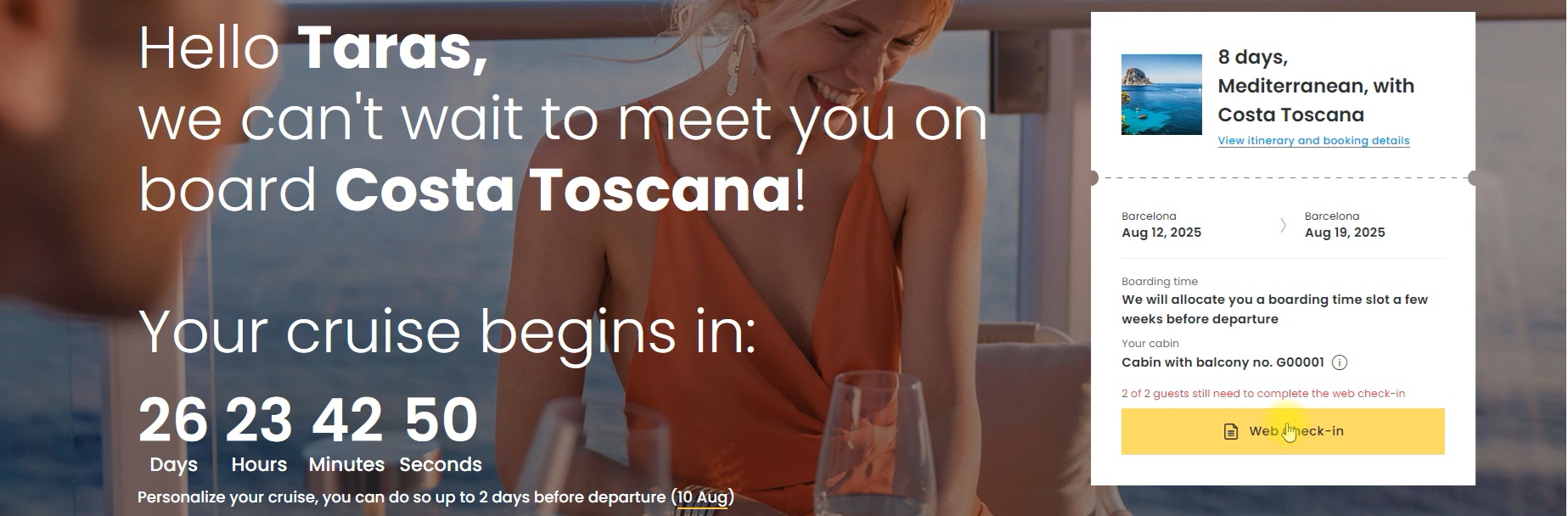
- get detailed information about the cruise;
- purchase additional services;
- go through Web Chek-in.
Click on the yellow Web Check-in button and move on.
At this stage, the cruise company provides important information about various surcharges and nuances in some countries.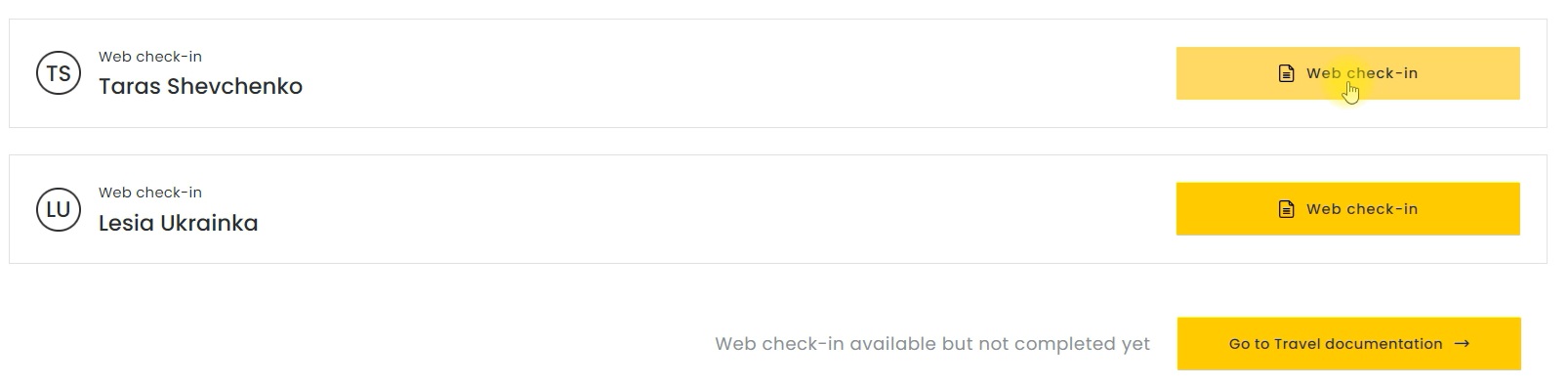
Scroll down and click Web Check-in again next to your data and go directly to filling in the information.
In the first block, enter your country of birth and address of registration (residence). Your place of registration must match the documents provided to OFAC.
IMPORTANTLY: if you reside in an OFAC sanctioned region you will be denied boarding without any refund! >>>More about OFAC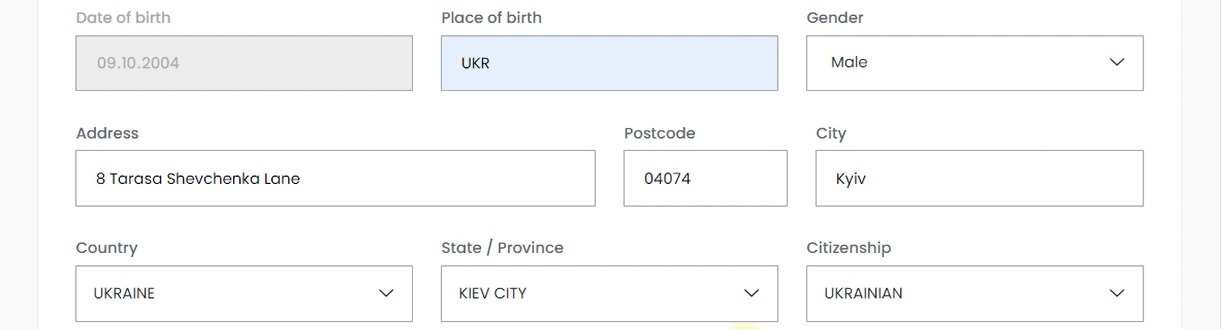
Below we need to check YES or NO in response to the question:
- Am I a politically exposed person?
Next, we select the document with which you will travel. For citizens of Ukraine and most countries, this is a passport. And carefully enter the passport data with which you will register on board the cruise liner.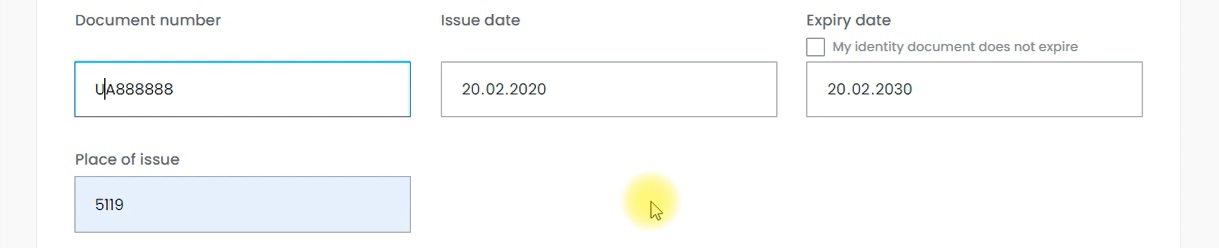
In the next block, enter your phone number and email.
As we can see, Taras Shevchenko is a true patriot. He uses Kyivstar and Ukrainian Net (not advertising). 
And below is the Emergency Contact information (for someone not traveling with you).
*If you are curious about what an emergency contact is, you can find out by following the >>>LINK
And click the Save button.
Congratulations!
Registration completed.
Similarly, you need to go through the Online Chek-In procedure for each person separately. You can do this right away by clicking on the Web chek-in button opposite the desired guest. Or everyone can log in separately using their own data and register independently.
After that, CRUISE DOCUMENTS will be available to you.
You can find out more about Costa Cruises cruise documents in the Fort Gates travel dictionary at >>>LINK.


Other articles
Royal Caribbean Mobile App: Adventures at Your Fingertips
Royal Caribbean Mobile App: Adventures at Your Fingertips
Що таке круїзний лайнер: анатомія, розваги та секрети морських гігантів
Що таке круїзний лайнер: анатомія, розваги та секрети морських гігантів
How to book a sea cruise?
A short and detailed guide on how to choose a trip that suits your criteria has been developed especially for you.
Disney Cruise Line Mobile App: a free cruise guide at your fingertips
Disney Cruise Line Mobile App: a free cruise guide at your fingertips